
Extract Core Scenes from Your Novel
Read through your novel and identify key dramatic beats—conflict, climax, revelation, and resolution. These become your episode anchors. Break each chapter into 2-3 minute scenes that can stand alone visually. Tag scenes with emotion type (e.g., confrontation, betrayal, discovery) so the AI actor engine knows how to express them. Don't aim for word-for-word adaptation; focus on visualizable moments. Each scene should have a clear setting and minimal dialogue tags.
Use a simple spreadsheet: Scene Number, Novel Chapter, Location, Characters Present, Conflict Type, Key Dialogues. This structure feeds directly into AI script generation. Keep scene lengths consistent—3-5 exchanges per scene works best for pacing. Avoid internal monologue unless it can be shown through action or voiceover.
- Tag scenes by emotion: anger, fear, joy, sorrow
- Limit 3-5 characters per scene for casting clarity
- Map one scene to one storyboard panel for consistency
Convert Prose to AI-Readable Scripts
AI drama platforms require structured scripts, not literary prose. Rewrite each extracted scene using standard screenplay format: INT/EXT LOCATION - TIME, followed by action lines and character dialogue. Each action line should describe something visually filmable—no abstract thoughts. For example, instead of 'She felt lonely,' write 'She stares at an empty chair across the dinner table.'
On platforms like iaiav, scripts auto-populate dialect voices and emotion cues once formatted correctly. Include parentheticals sparingly—let the AI actor's default expression handle subtlety. One page of script equals roughly one minute of screen time. Keep total script length between 8-12 pages per episode for optimal AI rendering.
Series written from one sentence
 Brewed for the BillionaireA struggling barista spills coffee on a cold billionaire, an
 Hidden HeirA scholarship transfer student at an elite academy discovers
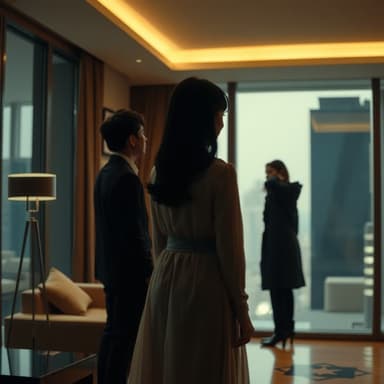 The Silent ShareholderFramed for fraud and divorced on her anniversary, she return
 The Moon's White HeirA waitress rejected by the ruthless Alpha on a full moon dis
Assign Fixed AI Actors Across Episodes
Choose 2-4 core characters and assign them permanent AI actors from the platform's library. Consistency in appearance and voice is critical for viewer retention. Once assigned, these actors carry the same face and voice across all scenes and episodes. Minor characters can use generic or rotating faces.
Upload reference images if creating original face templates. Match actor voice profiles to character age, accent, and tone from your novel. Record brief voice samples for dialect accuracy. Reusing the same actors reduces cognitive load for viewers and speeds up rendering time since the AI engine doesn't recalibrate faces per scene.
- Assign main characters before episode 1
- Use reference photos for face consistency
- Lock voice profiles to match novel descriptions
Build Visual Storyboards from Script Beats
For each scene, sketch or generate a basic visual layout: camera angle, character positions, key props, lighting mood. Tools like iaiav's built-in storyboard generator auto-create panels from formatted scripts. If working manually, use simple boxes with labels—wide shot, close-up, over-the-shoulder. Each script page maps to one storyboard panel.
Include shot transitions (cut, fade, zoom) between panels. Note lighting changes and background details that support the scene's tone. Keep annotations minimal—focus on composition and movement arrows. These storyboards become your production blueprint for AI rendering and later edits.
- Map one storyboard panel per script page
- Label shot types: wide, medium, close-up
- Note lighting and background mood per scene
Render and Test First Episode Quickly
Generate the first episode using your complete script, assigned actors, and storyboards. Most AI platforms render 5-10 minutes in under 30 minutes. Review for pacing, actor expression accuracy, and visual continuity. Watch for mismatched backgrounds, stiff movements, or unclear dialogue delivery.
Test with 3-5 readers from your target audience. Ask specifically about character recognition, emotional clarity, and scene flow. Fix issues in script or storyboard before rendering episode 2. Early episodes set viewer expectations—polish them thoroughly. Platforms like iaiav allow quote-before-shooting with refunds if results fail, so test risky scenes first.
- Render episode 1 in under 30 minutes
- Get feedback from 3-5 target viewers
- Fix script or storyboard before episode 2
Scale Production Using Templates
Once episode 1 is approved, duplicate its project file as a template for remaining episodes. Reuse actor assignments, voice profiles, and storyboard layouts. Only swap in new script content and key visual variations. This cuts production time per episode by 60-70% on platforms built for serial content.
Create a style guide: color palette, music theme, recurring prop locations, default camera angles. Store these in a shared folder so all episodes stay visually consistent. Use remake templates if platform supports it—they preserve lighting, pacing, and actor performance styles automatically.
- Duplicate episode 1 as template for all episodes
- Store style guide for color and music consistency
- Use remake templates for performance preservation